
Artificial Intelligence is no longer just a trend — it’s a necessity for professionals across all industries. From time management to content creation, AI tools are actively shaping the future of work.
In this guide, you’ll discover the top AI tools you need in 2025, how they work, and how they can boost your productivity, creativity, and overall performance.
Content
1. ChatGPT (by OpenAI)

ChatGPT is one of the most versatile AI assistants available today. It’s an all-in-one tool that helps with content generation, ideation, writing, coding, and task automation — making it a must-have for writers, developers, analysts, marketers, and project managers.
Key uses:
-
Content generation (articles, blog posts, emails)
-
Automated customer support
-
Assisted coding (with GPT-4)
-
Brainstorming and creative ideation
2. Notion AI
If you already use Notion to manage your work, the AI-powered version takes it to the next level. It can summarize documents, generate action plans, automate workflows, and even write reports — all from your workspace.
Highlights:
-
Automatic text summarization
-
Multilingual translation
-
Smart task templates and project schedules
-
Context-aware data and note organization
3. Midjourney

Midjourney is perfect for designers, content creators, and entrepreneurs who need high-quality visuals. Using text prompts, you can generate stunning AI images for thumbnails, branding, social media, and more.
Why it stands out:
-
Create one-of-a-kind visuals from text descriptions
-
Ideal for ad creatives, visual storytelling, and marketing assets
-
Fast generation with professional quality
4. Grammarly (with Advanced AI)
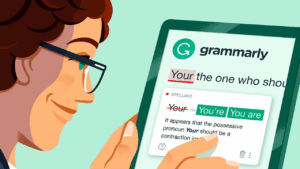
For professionals writing in English, Grammarly is essential. Its premium AI goes beyond grammar checks — offering tone adjustments, sentence rewrites, clarity suggestions, and stylistic improvements.
Best for:
-
Real-time grammar and spelling checks
-
Rewriting with tone control (professional, casual, assertive)
-
Fluent, error-free writing for emails, blogs, and reports
5. D-ID and HeyGen (AI Avatar & Video Generators)
Creating professional-looking videos has never been easier. Tools like HeyGen and D-ID allow you to generate realistic avatar videos from your written scripts — complete with natural voices in multiple languages.
Top features:
-
AI-generated human avatars
-
Professional video narration with custom voices
-
Great for YouTube, courses, reels, and business presentations
Bonus: How to Choose the Right AI Tool
Before investing time or money in an AI platform, consider:
✅ Your goal (writing, design, video, productivity)
✅ Ease of use and learning curve
✅ Pricing and long-term value
✅ Community support and tutorials
✅ Integration with tools you already use
The Future of Work Is Already Here
AI isn’t replacing professionals — it’s empowering them. By embracing the right tools, you can become faster, more creative, and more competitive in the digital job market of 2025.